forge.ambera.app/signal/ledgerline
Why a bot is in your numbers at all
Most crawlers run no script, so a JavaScript tracker never sees them. Some do: a search engine that renders your pages, a headless browser, your own test suite. Each opens a page the way a visitor does, and each becomes a session.
A sessions figure with those inside it says less than it seems to, and so does every share counted over it: the visitors who reached your product, the people who finished sign-up.
The rules, each one you can check
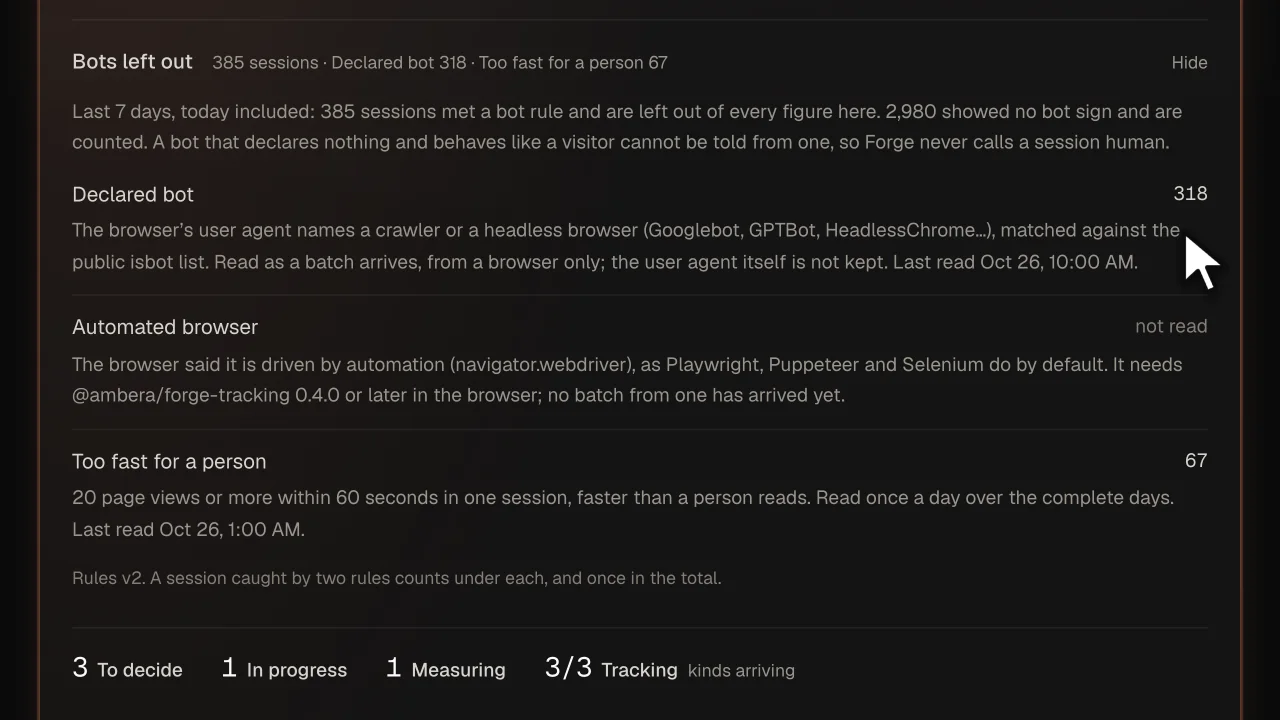
A session that meets one of them is left out of every count read from your events (sessions, people, journeys, sources, conversions) and counted under the rule that caught it. The rules are versioned (v2 today), and the screen names the version it counted with.
- Declared bot. The browser’s user agent names a crawler or a headless browser (Googlebot, GPTBot, HeadlessChrome…), matched against the public isbot list. Read as a batch arrives, from a browser only; the user agent itself is not kept.
- Automated browser. The browser said it is driven by automation (navigator.webdriver), as Playwright, Puppeteer and Selenium do by default.
- Too fast for a person. 20 page views or more within 60 seconds in one session, faster than a person reads. Read once a day over the complete days.
What the Overview shows
- How many were left out, and by which rule. A session two rules met is counted under both, and once in the total.
- How many are counted. The sessions with no bot sign are the Sessions figure itself.
- A rule Forge could not read says so. An app whose tracker does not look for an automated browser gets “not read” on that rule, never a zero.
- A bot’s errors stay counted. A page that breaks for a crawler is broken, so error counts keep a bot’s errors. Every count read from events leaves the bot out.
Where Forge stops
These are the things the rules do not do:
- A bot that declares nothing, runs your tracker and behaves like a visitor is counted. That is why the rest are “no bot sign”, never “human”.
- Forge blocks nothing. It is not a firewall or a CAPTCHA; it counts what arrived.
- No bot score and no fingerprint of the device. Each rule is one fact you can check.
- Only a browser’s user agent is read. Rows your server sends are never marked by it.
- The too-fast rule is read once a day, so today’s figure can still hold a session it will leave out tomorrow.
Questions
- Does Forge keep the user agent?
- No. It is read as a batch arrives and matched against the public isbot list; what is stored is the mark on the session, not the user agent.
- What does “no bot sign” mean?
- That none of the rules Forge could read marked the session. It is not a claim that a person sent it: a bot that behaves like a visitor cannot be told from one, and Forge says so on the screen.
- Are my own tests and my team counted?
- A test suite driving a browser is caught by the automated-browser rule, with tracker 0.4.0 or later, unless it hides navigator.webdriver. Your team’s own visits are a separate list under Settings, left out of the same counts.
- What does it cost?
- Free for 1 product, no card: the tracking, the issues, the releases and their outcomes, up to 20,000 rows a day. Solo is $29 a month, flat, for 3 products and 100,000 rows a day each. Nothing is metered and there are no credits; the one paid addition to oversight is the model’s draft of a work spec.
- What happens to my users’ data?
- Person and session ids are hashed together with your product’s id before they are stored, the IP address is never read, and e-mail addresses, IP addresses, query strings (except a tagged link’s utm_source, utm_medium and utm_campaign, kept scrubbed) and anything shaped like a secret are removed from the texts. Rows are kept 30 days on Free, 90 on Solo, 180 on Team and 365 on Premium. No screen in Forge shows a person, lists the people behind a count, or ranks them.